
You can view, approve, and decline requests on the Manage Requests page. To access this page, click Manage Requests.
-
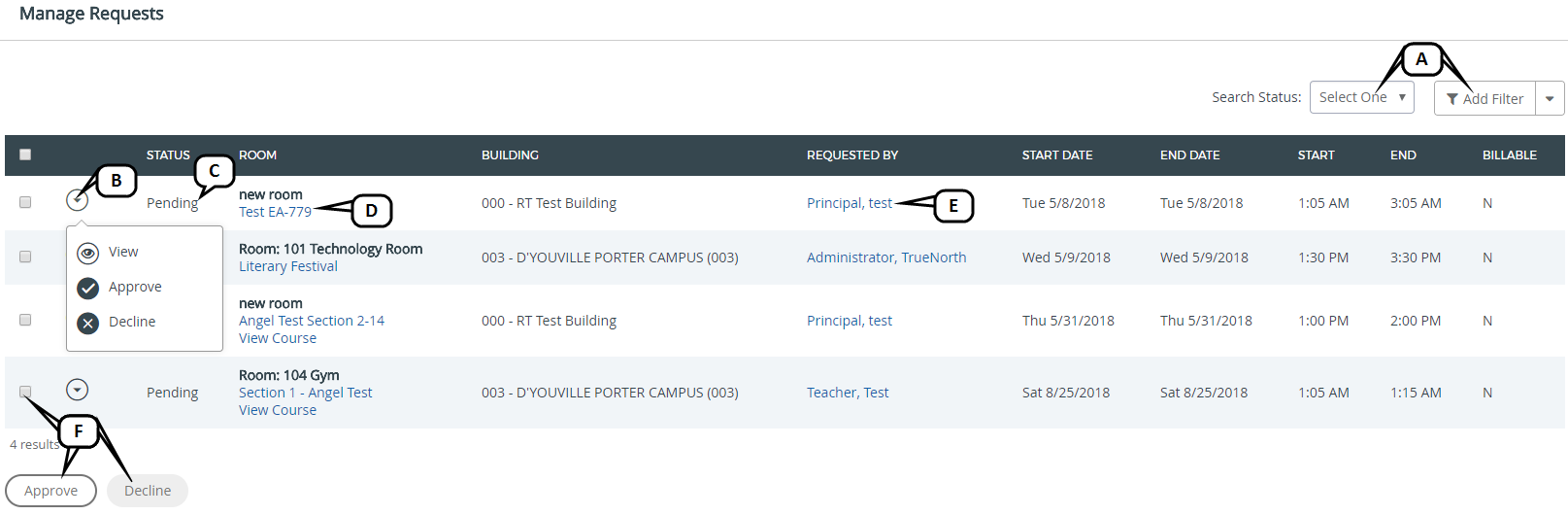
Search Status or Add Filter: Narrow down the list of room requests by searching for a specific status or applying a filter.
-
Arrow icon: Click to access additional options for each request. Options include: View, Approve, and Decline.
-
Status Column: Review the status of the requests in this column.
-
Room Name: Click to access the Book Room page. See Book Room for more information.
-
Requester Name: Click to open an email to the selected user.
-
Approve or Decline: Select the checkbox for the request(s) and click Approve or Decline.