
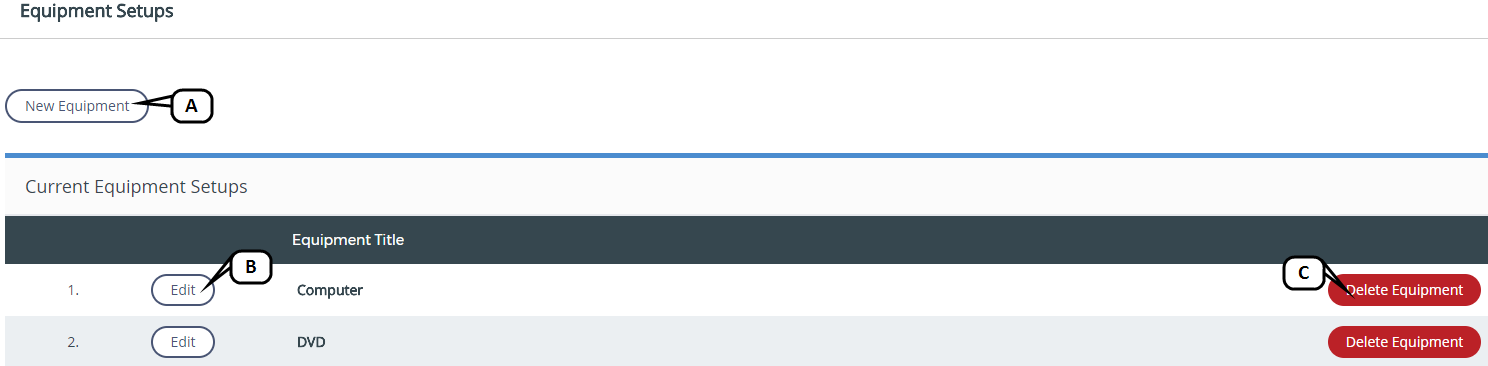
Equipment Setups can be created, edited, and deleted on the Equipment Setups page. To access this page, click Equipment Setups.
-
New Equipment: Click to create a new room setup.
-
Edit: Click to edit an existing equipment setup.
-
Delete: Click to delete an existing equipment setup.
New Equipment
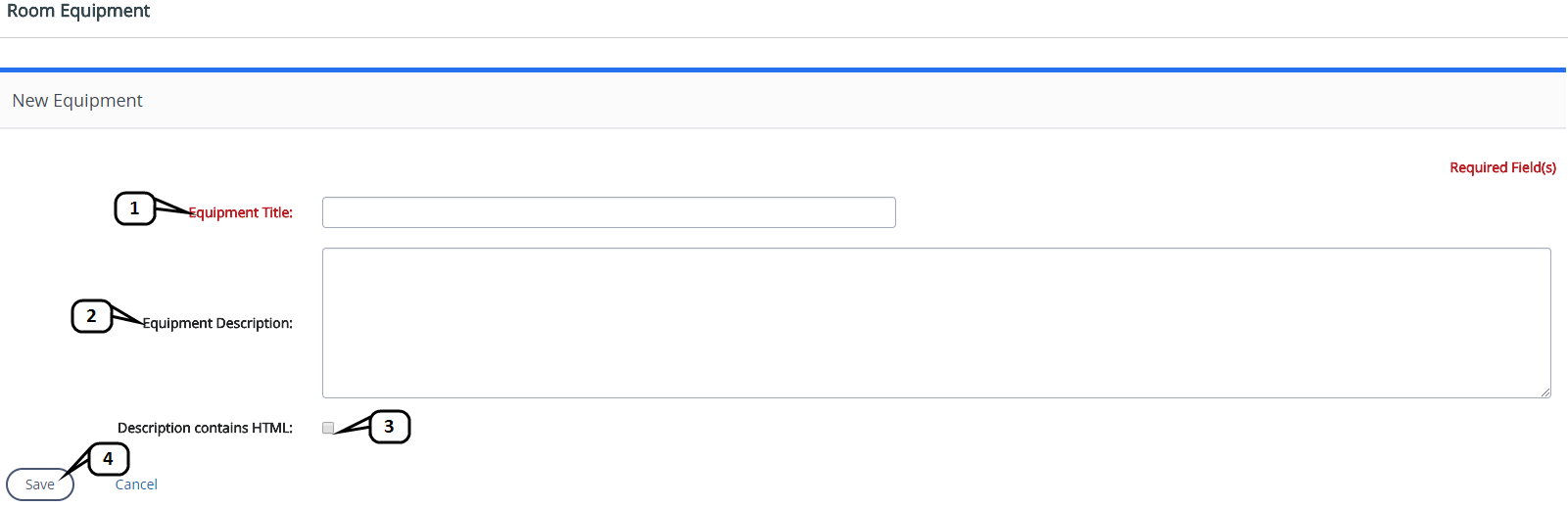
To create new equipment, follow these steps:
-
Enter an Equipment Title. Note that this is the only required field.
-
Enter an Equipment Description if desired.
-
Check the Description contains HTML box if your Setup Description contains any HTML.
-
Click Save once you are finished.