
Districts that do not have the MUNIS Applicant Tracking module can import new hire information through the MUNIS Human Resources Management module. This method supports a limited number of fields but can be used with any Applicant Tracking System.
Import new hire data
-
Generate a flat-file export from Applicant Tracking.
-
Retrieve the export file from the SFTP location.
-
Save the file as a CSV file.
-
In MUNIS, open New Hire Import.
-
Import the CSV file.
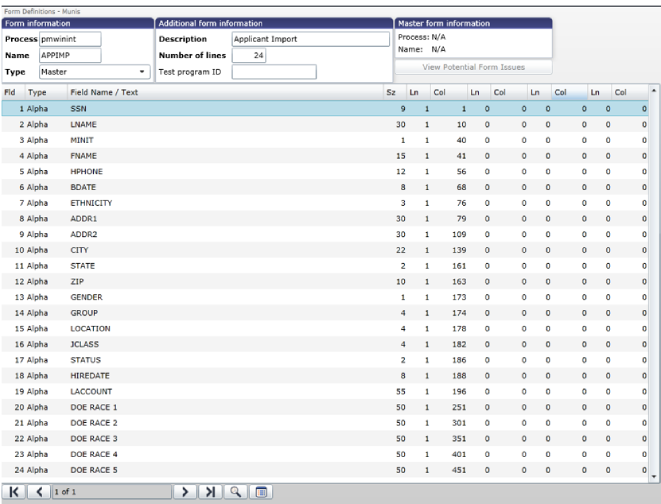
During the import process, users can select which applicant fields to import through the Form Definitions page. Common imported fields include:
-
Name and address information
-
Social Security Number
-
DOE race information
-
Other supported applicant data fields:
Complete personnel setup
After the import:
-
Select Actions.
-
Open Personnel Action Entry.
-
Add position information or any data not included in the import.
-
Select Return to New Hire Import.
-
Select Output/Post to complete the import.