
This article explains how users can view and report on a mentee's activity across multiple mentors or coaches using the All Mentors view and Mentee Type reporting options.
Overview
Yes. Coaching & Mentoring provides the ability to view a mentee's activity across multiple mentoring relationships, allowing districts to gain a comprehensive understanding of the support an individual is receiving.
View Consolidated Data Across All Mentor Relationships
Users can navigate to a mentee's profile and select All Mentors from the mentor filter. This view aggregates activity, interactions, and mentoring information across all assigned mentors, providing a comprehensive view of the mentee's support experience.
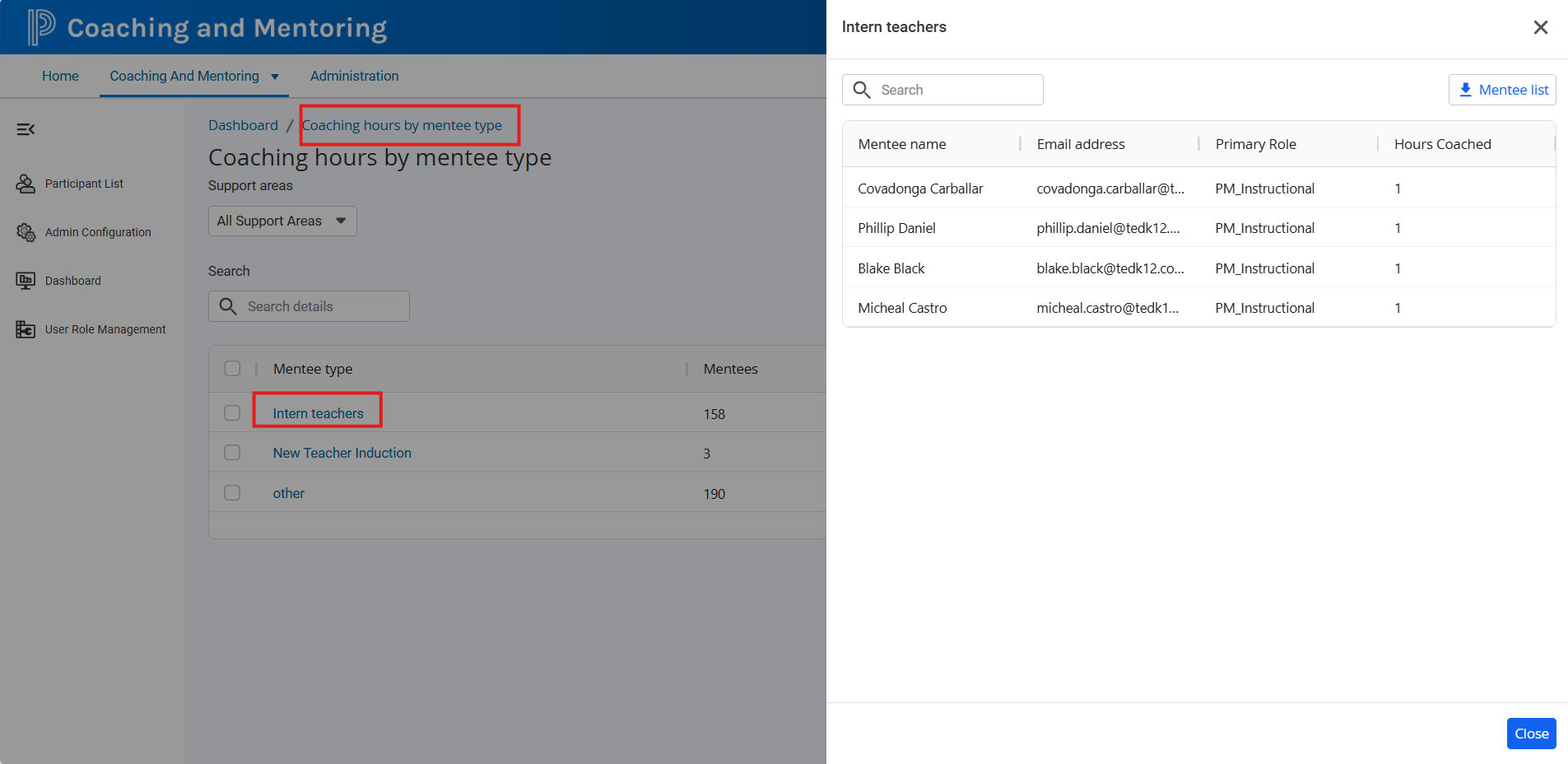
Report on Mentees Using Aggregated Mentee Type Data
Districts can also leverage the Mentee Type field to organize and report on groups of mentees.
The bulk import process supports the Mentee Type attribute, allowing districts to categorize mentees based on program, cohort, role, or other organizational needs.
From the dashboard, users can:
-
Review aggregated data by Mentee Type.
-
Select a specific Mentee Type to view detailed records.
-
Locate individual mentees within that group.
-
Review accumulated hours and mentoring activity.
When data is aggregated at the mentee level, hours are combined across all assigned mentors, providing a complete view of participation and engagement.
Export Options
At this time, the aggregated mentee view does not include a dedicated export feature. Organizations that require a static copy of the information may use their browser's print or save-as-PDF functionality to capture the displayed data.
Key Takeaway
Coaching & Mentoring supports visibility into mentees who work with multiple mentors or coaches. By using the All Mentors view and leveraging the Mentee Type field for reporting, districts can analyze participation and mentoring activity across all mentor assignments while maintaining a consolidated view of the mentee experience.