
This article explains how Coaching & Mentoring can support a variety of mentoring and professional growth programs beyond traditional teacher-coach relationships, including leadership development, mentor certification, and administrator mentoring.
Overview
Yes. Coaching & Mentoring (CAM) is designed to support a wide range of mentoring and professional growth programs, not just traditional teacher-coach relationships. Any initiative that involves structured mentoring, goal setting, progress tracking, or professional development can be managed within the platform.
Common Use Cases
Leadership Development Programs
Many districts use CAM to support leadership pipeline initiatives by pairing aspiring administrators or future principals with experienced school leaders. These mentoring relationships can be managed in the same way as instructional coaching relationships, allowing districts to track meetings, goals, reflections, and progress over time.
Mentor Certification Programs
Districts often face challenges recruiting and developing qualified mentors. To address this need, some organizations establish mentor certification programs where experienced mentors provide training and support to future mentors.
CAM helps districts manage these programs by enabling them to:
-
Track mentoring and coaching interactions
-
Document participation and progress
-
Monitor completion of certification requirements
-
Capture mentoring hours completed during the program
For districts using Professional Learning, mentoring hours can also be synchronized to participants' Professional Learning transcripts, providing a streamlined way to document certification and professional development requirements.
Administrator Mentoring
CAM can also be used to support administrator onboarding and mentoring programs. New administrators can be paired with experienced leaders, while districts maintain visibility into mentoring activities, progress, and outcomes.
How do I use the Program feature?
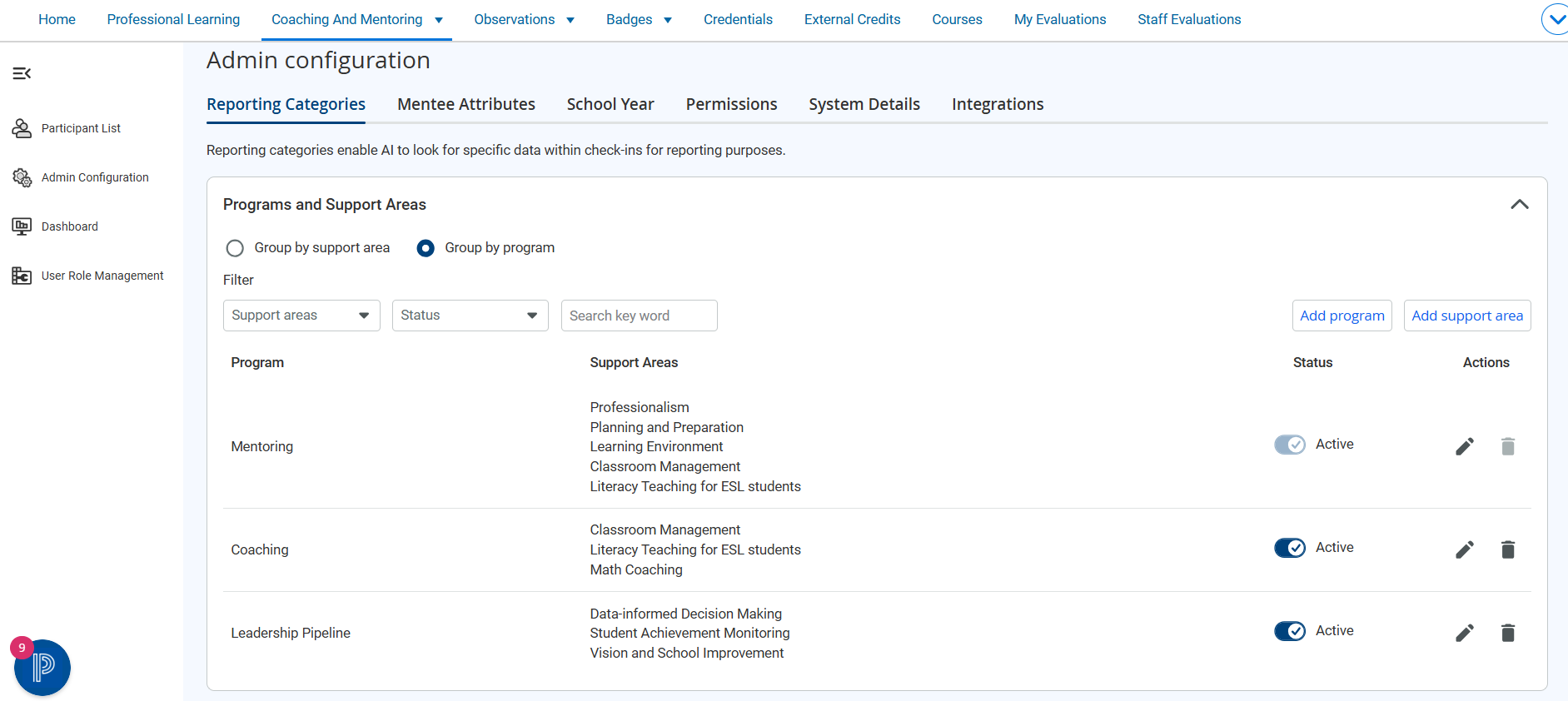
The platform includes Mentoring as the default program. To add other programs, go to Admin Configuration, select Add program, choose the applicable Support Areas, and save the program.
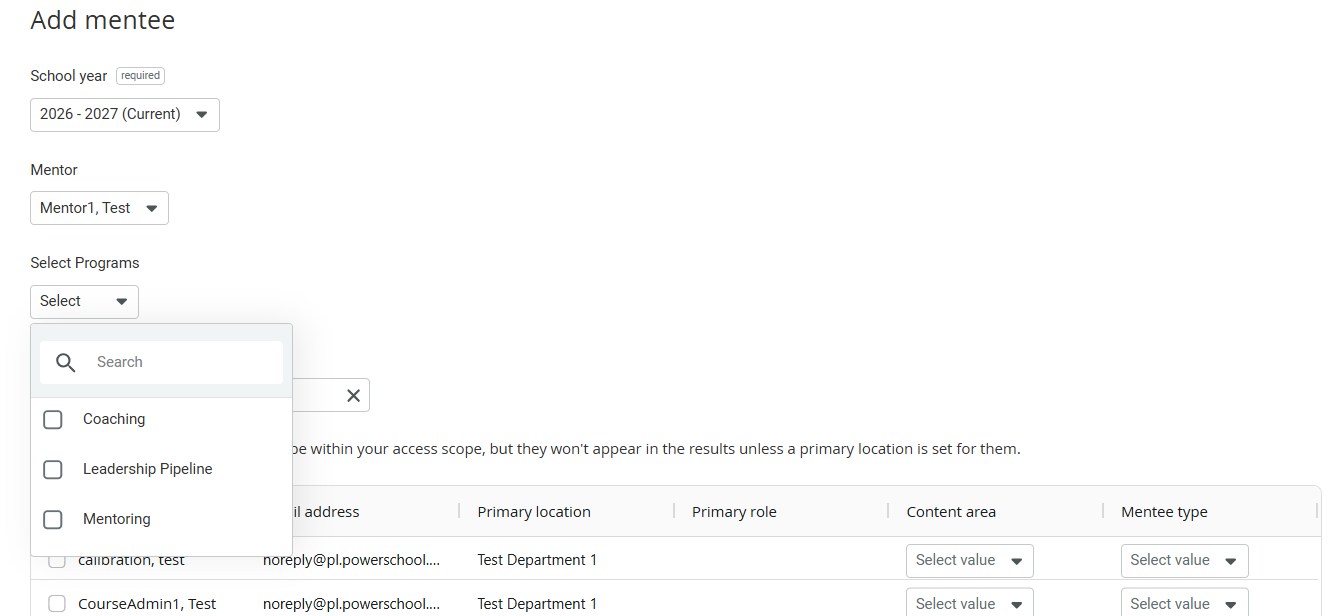
You can assign program affiliations when you manually add new mentees, or when you bulk upload them. Because mentees can belong to multiple programs, the platform associates programs with mentorships. When you manually add a mentee, the program affiliation selector becomes available only after you identify a mentorship. For bulk uploads, the Program upload is recognized and imported only when it is submitted with a mentorship upload.
Key Takeaway
Coaching & Mentoring is a flexible platform that supports a variety of mentoring models, including educator development, leadership succession planning, mentor certification programs, and administrator mentoring initiatives.