
Receive text message notifications of important updates to your applications from SchoolSpring. Verify your phone number and agree to receive text messages to get started. You can enable text notifications when you sign up or anytime in My Profile or Job Notification Preferences.
SchoolSpring will send you text notifications from employers who have enabled this service.
Enabling text notifications
Phone number verification and text notifications are available only for US (+1) phone numbers. You can add international phone numbers to your profile, but you cannot verify them or enable text notifications.
Sign up
-
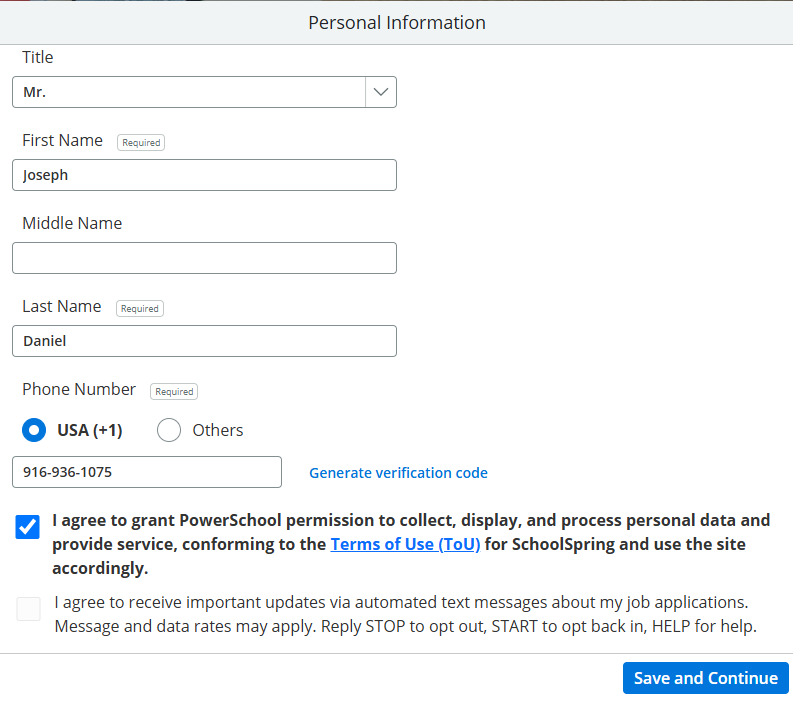
Enter your phone number and ensure USA (+1) selected.
-
Click Generate verification code. SchoolSpring sends a verification code to your phone.
-
Enter the code and click Verify.
-
Select the checkbox to opt in to automated text messages about your job applications (located below the Terms of Use checkbox).
-
Click Save and Continue.
My Profile
-
To add your phone number, click the edit pencil icon next to your name in the Profile Preview section.
-
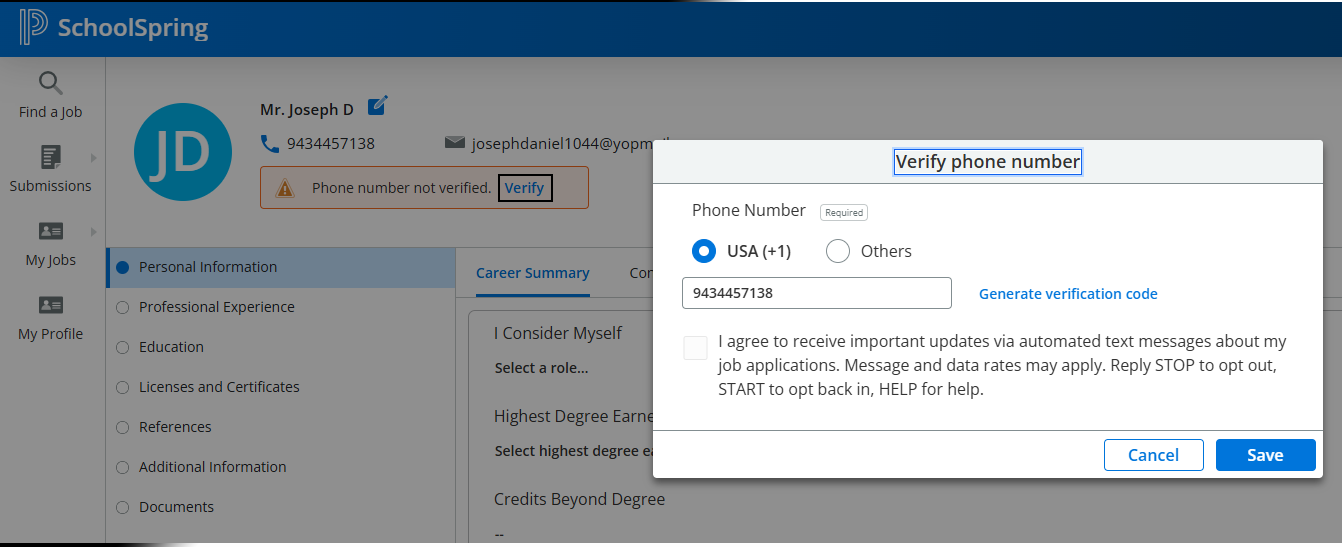
To verify your phone number, click Verify.
-
Click Generate verification code.
-
Enter the code and click Verify.
-
Select the checkbox to agree to receive text messages, then click Save. You'll see a confirmation message.
Job Notification Preferences
Navigation: My Jobs, Job Assist, then click the Job Notification Preferences tab.
-
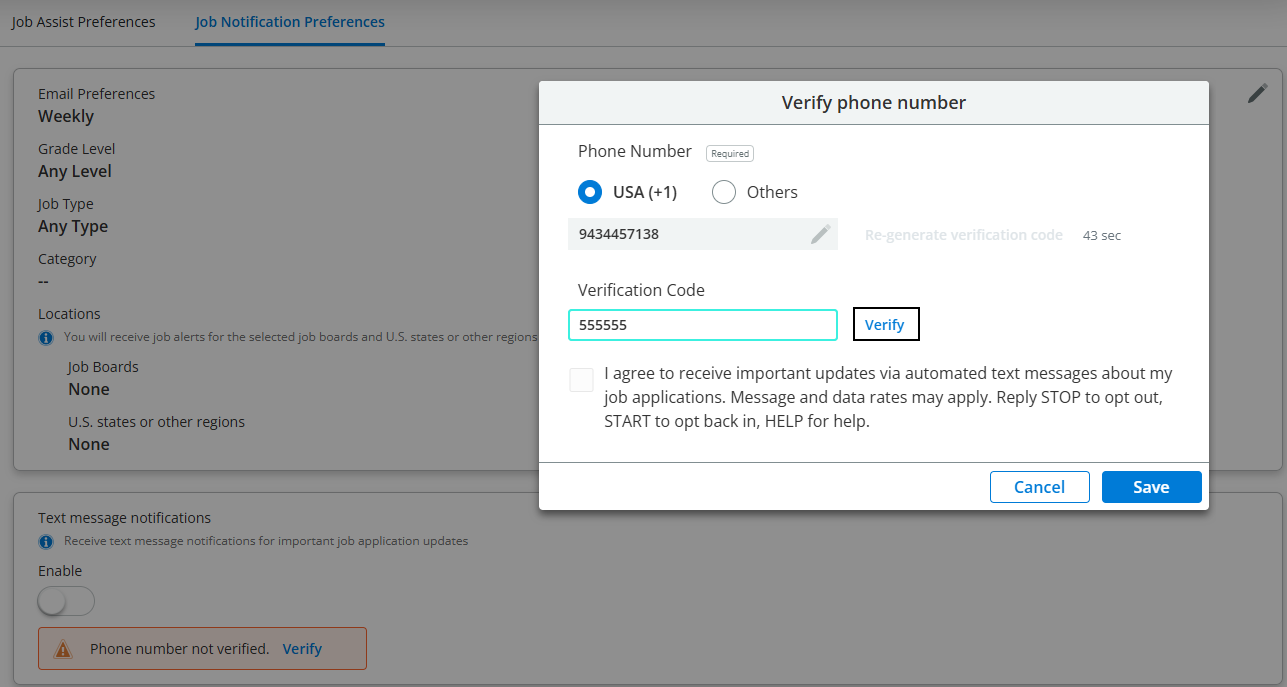
In the Text message notifications section, click Verify in the warning message.
-
Click Generate verification code.
-
Enter the code and click Verify:
-
Select the checkbox to agree to receive text messages, then click Save. A confirmation message displays.