
The Observation Screen for Observees
The observation screen includes the following features.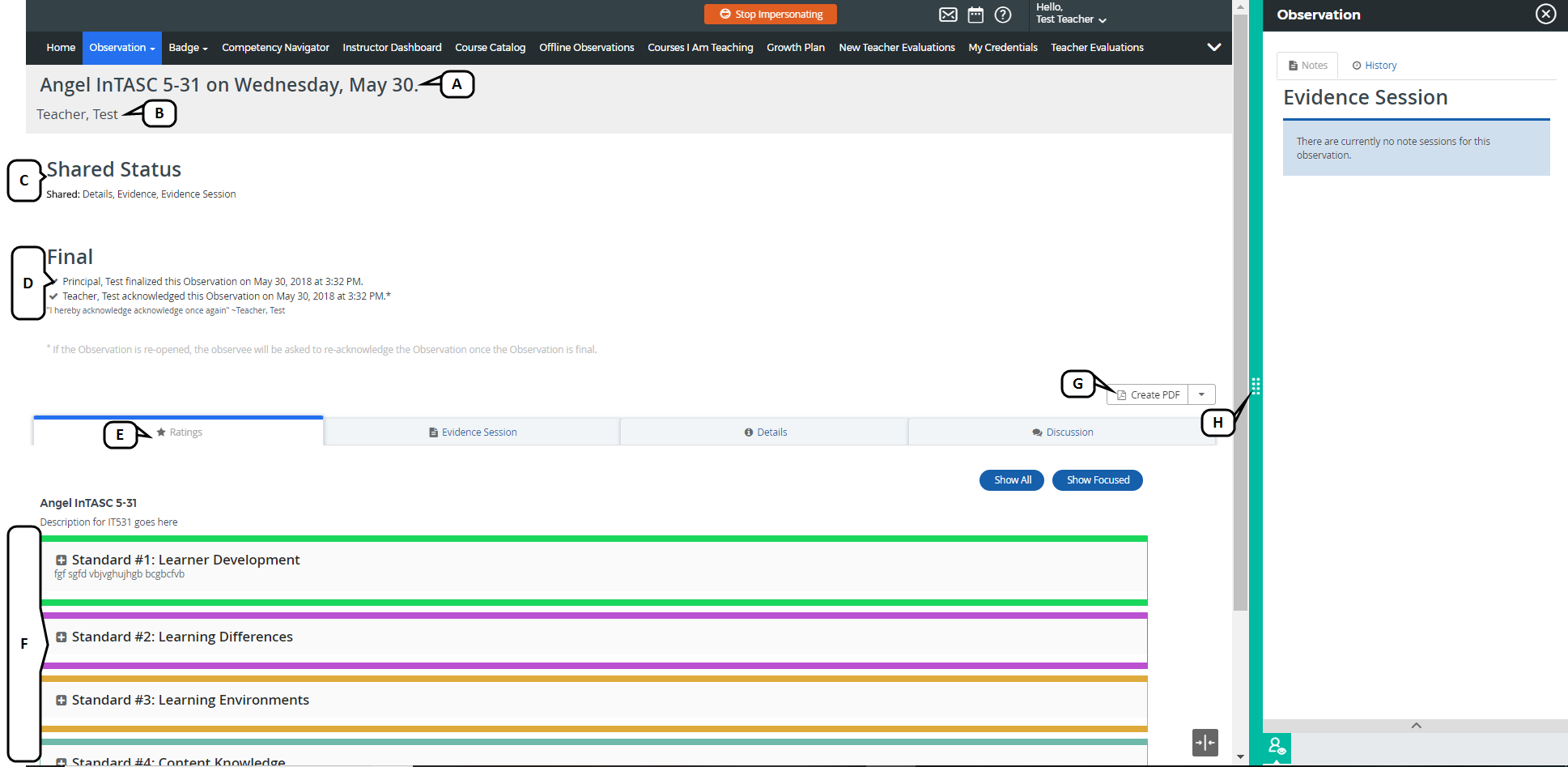
- View the observation template name and observation date.
- View the Observee name.
- View the shared status once the Observer has shared the observation.
- Acknowledge the observation and view the sign-off status once the Observer has finalized the observation.
- Select the observation tabs to view results.
- View information and results pertaining to the selected observation tab.
- Create a PDF of the observation for saving and printing.
Click the evidence slider to access the Evidence Session and History details.