
Discussion for Observees
- If this feature was enabled for this observation, click the Discussion tab.
- Discussions are grouped into three categories. Select the appropriate category.
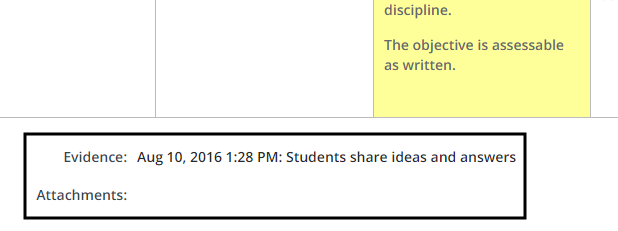
- Review the discussion points entered by the Observer.
Enter Discussion Content
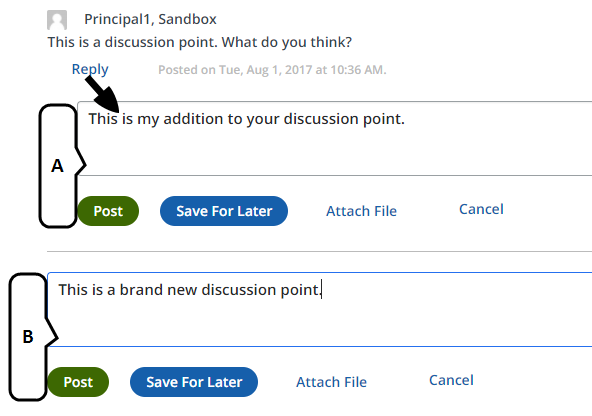
- You can either reply to a discussion already in progress (A) or start a new discussion (B). Use the text box to enter the content for the discussion.
- Select Attach File to add an external file to the discussion (up to 20 MB file size).
To use your evidence sessions, select the evidence slider. Evidence sessions that have been previously recorded will be available. Drag the desired post to the appropriate Evidence box.
Text objects available for dragging and dropping are indicated by a double-sided cross arrow icon.
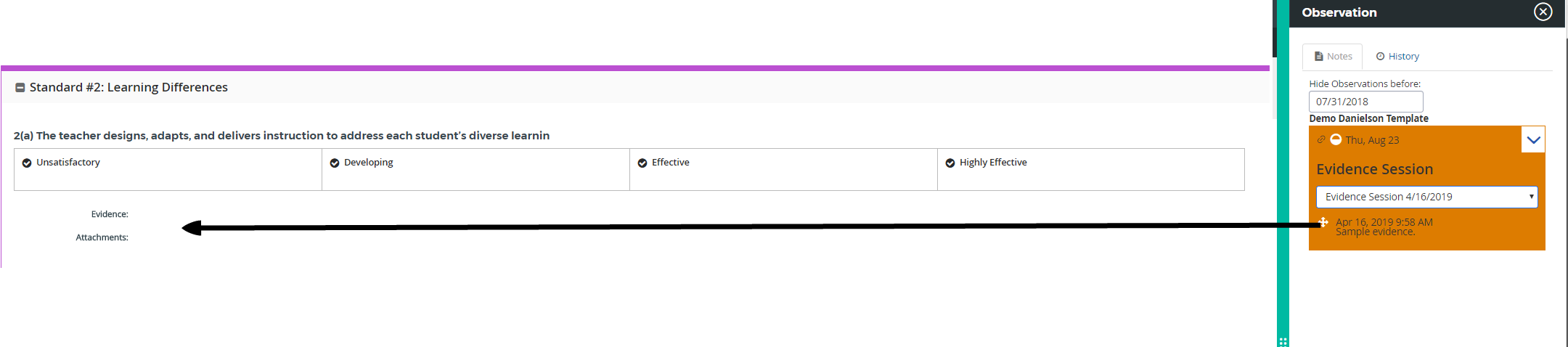
Once an Observer shares Evidence Sessions with the Observee, they become available for the Observee to use in discussions. Only the time stamp and evidence are drag and droppable.
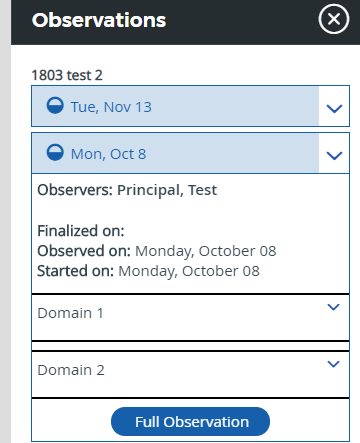
- To refer to previous observation instances, select the slider and select the Observations tab. Observations grouped by specific instance. Expand to view more details or select Full Observation to navigate to that observation page. Hover over a specific instance to review the status and time stamp.
- When finished adding content, you have two options.
- Select Post to finalize the current discussion and make it viewable to anyone with access to the observation. The post will no longer be editable or removable.
- Select Save For Later to save the current discussion without making it viewable, so that you can complete it later.
