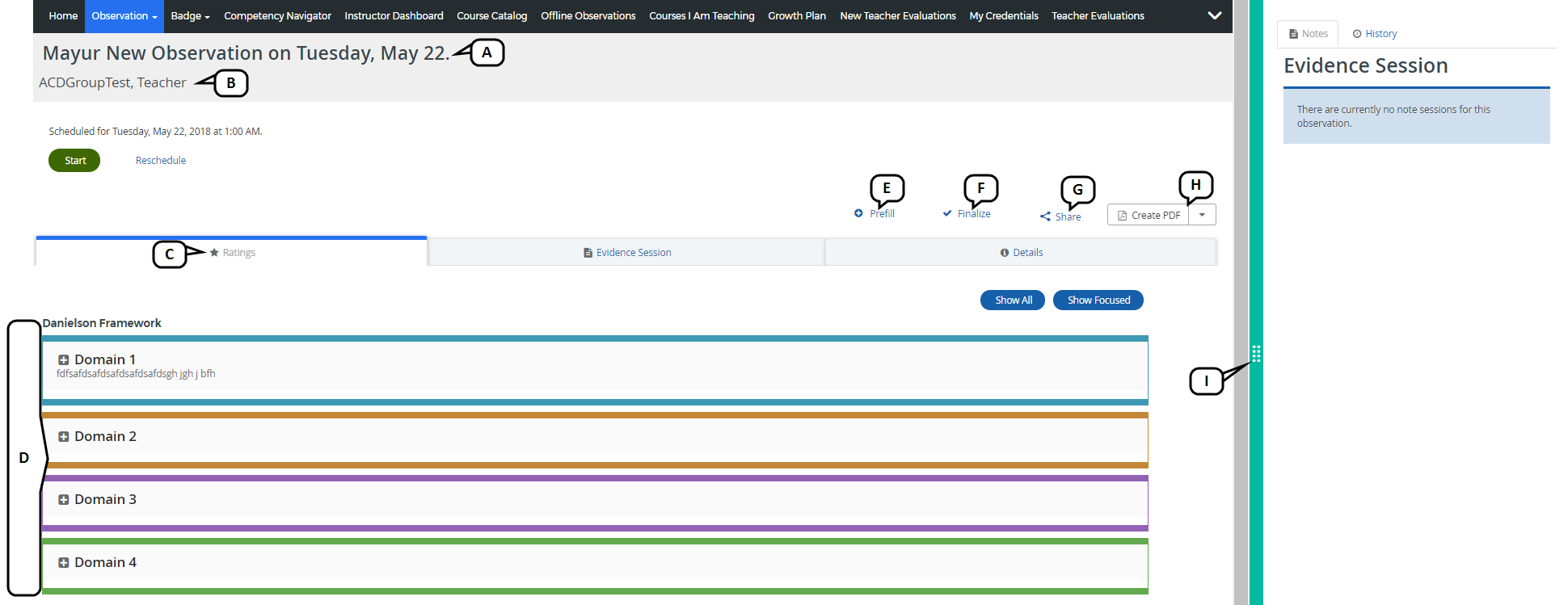
The observation screen includes the following features.
View the observation template name and observation date.
View the Observee name.
Select the observation tabs to perform tasks.
View information and tasks pertaining to the selected observation tab.
Prefill the observation with data from a previous observation instance, including ratings and evidence. This option will be available only when a previous observation exists for this user and this template.
Finalize the observation.
Share the observation.
Create a PDF of the observation for saving and printing.
Select the slider to access the Evidence tool and Observation instance details .
JavaScript errors detected
Please note, these errors can depend on your browser setup.
If this problem persists, please contact our support.