
Evidence Session
- Click the Evidence Session tab to access the evidence sessions.
- You have the following options.
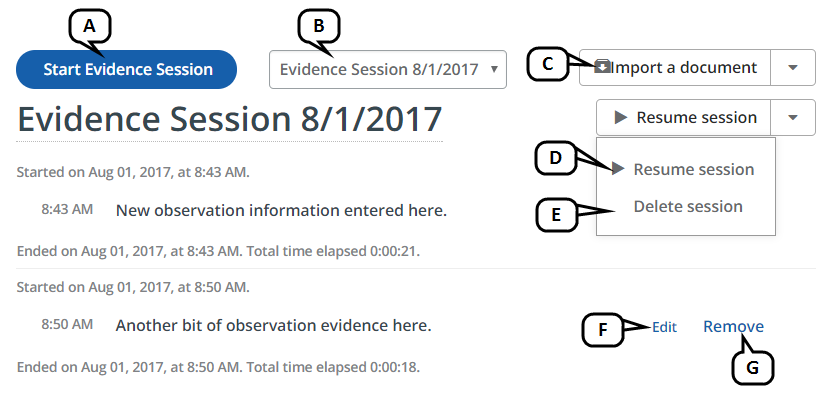
- To add a new evidence session, click Start Evidence Session.
- To view an existing evidence session, select it from the drop-down menu.
- To import a doc or txt file into the session in view, click Import a document and follow the onscreen instructions.
- To update the session in view, select Resume session from the action menu.
- To delete the session in view, select Delete session from the action menu.
- To update a specific post within the session, click Edit for that post.
- To delete a specific post within the session, click Remove for that post.
- Click Start Evidence Session to create a new session.
- Enter your observations into the text field and click Post. Each post is time-tagged and displayed above.
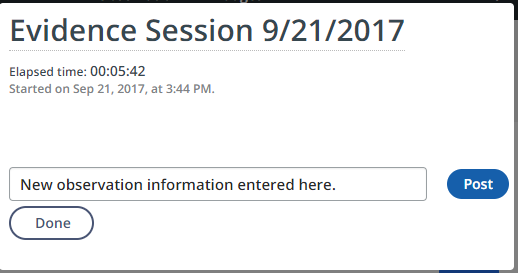
- When finished adding posts to the evidence session, click Done.